Load NAM A2 on Strich Pipe Tones: Quick Guide
Load NAM A2 amp profiles on your Strich Pipe Tones in 4 steps. Update firmware, download free TONE3000 captures, install Stomp Manager, and start playing!

The Strich Pipe Tones pocket multi-effects pedal now supports next-generation digital amp modeling through NAM A2 profiles. Equipping your pedal with these upgraded captures dramatically improves the range of tones and dynamic response for both guitar and bass.
Understanding NAM A2
Developed by TONE3000 in collaboration with NAM creator Steve Atkinson, Neural Amp Modeler Architecture 2 (A2) represents a massive leap forward from original A1 profiles.

1000s of Free Guitar Tones
Players can access thousands of free, highly accurate A2 captures directly through the TONE3000 Search platform, transforming the compact Strich Pipe Tones into a powerhouse modeling unit.
We will walk you through it step by step, and all the download links you need are in this article. By combining software from Strich and Soran Audio, you will be able to access all these free guitar tones.

Step 1: Update Your Firmware
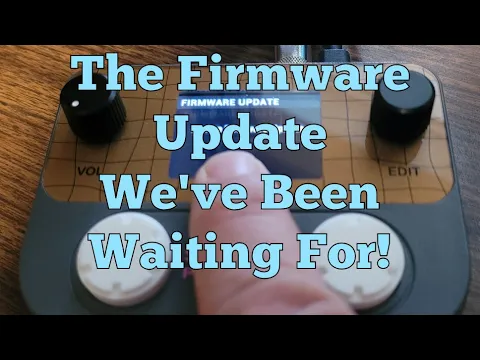
Before loading new profiles, your hardware must be running the latest version of the operating system. Visit the Strich Download Page to grab the current Firmware and Updater tool. Run the updater to prep your pedal for A2 compatibility.

Step 2: Download A2 Profiles
Navigate to the TONE3000 platform and search for your preferred guitar or bass amp profiles. Download these compatible A2 files directly to your local computer drive.
Step 3: Download and Install Stomp Manager Software
Download the updated Soran Audio Stomp Manager Software. Soran Audio products now support A2 profiles and use the same software as the Strich line of products, so this is how you access the TONE3000 library.
Connect your Pipe Tones pedal to your computer via USB, then launch the desktop application (or the official mobile app) to establish a connection. The software should immediately recognize your hardware and display your current settings.

Step 4: Import and Assign Tones
Inside the Stomp Manager interface, locate the expandable model slots. Drag and drop your downloaded NAM A2 files directly into these slots to load them onto the pedal. Once the transfer completes, the new amp profiles will be ready for instant selection and live tweaking.
The Double D guitar video below walks you through the whole process. We would recommend you watch this and subscribe to their channel. This is a great free hack/solution to expand your $50 unit into a more capable and fun NAM A2 player.
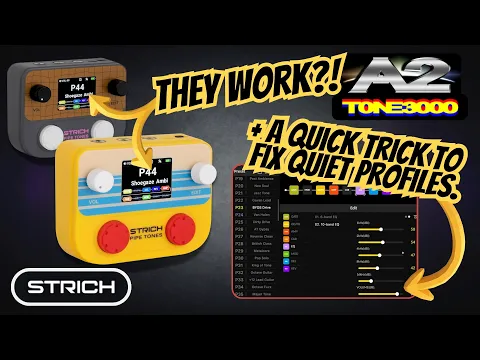
For a good overview of how to use these, we would recommend the video by Leon Brown Music.

- +Access to thousands of free, high-quality A2 amp captures
- +Dramatically improved sonic accuracy over A1 profiles
- +Works on affordable, pocket-sized pedal
- +Simple drag-and-drop workflow via Stomp Manager
- +Compatible with both guitar and bass profiles
What is NAM A2 and why does it matter for the Pipe Tones?
NAM A2 is next-generation digital amp modeling developed by TONE3000 and Steve Atkinson. It offers dramatically improved sonic accuracy and dynamic response compared to original A1 profiles, turning the Pipe Tones into a more powerful modeling unit with access to thousands of free, highly accurate amp captures.
Where do I download NAM A2 profiles for my Pipe Tones?
Download A2 profiles directly from the TONE3000 Search platform, which hosts thousands of free, compatible amp captures for guitar and bass. Save these files to your computer before importing them into the pedal via Stomp Manager software.
Do I need to update my Pipe Tones before loading A2 profiles?
Yes. Visit the Strich Download Page to download the latest firmware and Updater tool, then run the updater to ensure A2 compatibility before attempting to load new profiles.
Keep browsing

Get this stuff first.
Leaks, deals and reviews in your inbox, once a week. No spam, just gear.